
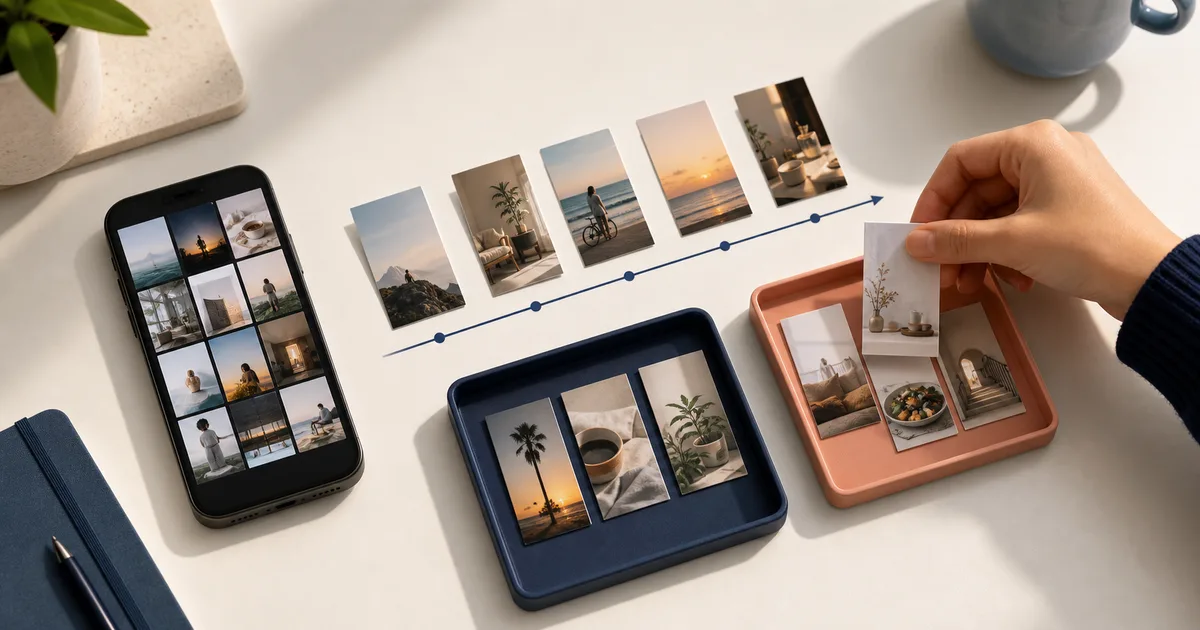
Where to find TikTok Favorites and Collections
Open TikTok, go to your profile, and look for the bookmark-shaped Favorites section. Your saved videos appear there. If Collections are available for your account, they appear within that area.
Labels and placement can vary by app version, region and account. If the path on your phone looks different, update TikTok and look for Favorites or Collections from your profile. Favorites are also different from Likes: liking a video does not automatically place it in a Collection.
Can you sort TikTok favorites from oldest to newest?
Check the controls in your own Favorites view before assuming it can sort oldest to newest. We have not verified a date-sorting control that is available to every account. TikTok Search, Favorites and Collections are different views: a filter you see in Search does not establish that it also exists in Favorites.
Favorites, Search and Collections are different surfaces
Favorites, Search and Collections solve different jobs. Favorites keeps a video for later. Search finds posts about a topic and can expose its own filters. Collections group your Favorites, but they do not guarantee chronological order inside every folder.
What to do when you need your oldest saves
If you need your oldest saves and your account has no date control, avoid rebuilding the whole archive. Make a temporary Collection such as Review · 2026, process 20 videos at a time, and move only the items that still have a clear use. When you remember a creator, phrase or topic, use that clue to narrow the search before you scroll manually.
Posted, saved or added: record the date you actually know
The post date is when the creator published the video. Your TikTok save date is when you favorited it. The date you add its link to Miora is a third event. Do not fill one field with another date just to complete a timeline.
For three references you still need, record the source URL, what you want it for, the dates you can verify and the evidence for each date. Leave unknown dates blank. Add a creator name or a phrase you remember. This worksheet is a retrieval aid, not an export of your TikTok history or a Miora interface.
| What you need | Best available control | Important limit |
|---|---|---|
| Find recent posts about a topic | Search and any date filter available in that view | Sorts search results, not your personal Favorites history |
| Separate saved recipes, trips or tutorials | Collections | Groups content; does not guarantee oldest-to-newest order |
| Recover an old Favorite | Creator, remembered phrase, topic and small review batches | May still require manual browsing, depending on the account |
| Retrieve a selected reference beside Reels, links or screenshots | Miora source, text search, category and filters over available signals | Does not automatically import the complete Favorites history |
How to make folders in TikTok Favorites
TikTok calls these folders Collections. The exact interface may change, but the general path remains consistent.
- Open TikTok and go to your profile.
- Tap Favorites or the bookmark icon.
- Open Collections and choose the option to create one.
- Give it a short, specific name.
- Select the saved videos that belong there and confirm.
Use Collections for decisions, not vague topics
A short set of action-based Collections is easier to maintain than dozens of narrow folders. Interesting is a poor name because almost every favorite qualifies. Weeknight recipes or Places for New York makes the next decision obvious.
- Try this week: recipes, workouts or practical tips you plan to use soon.
- Plan: places, trips, purchases or projects that require a date.
- Learn: tutorials and explanations worth studying.
- Share: videos saved for a specific person or team.
- Reference: material with lasting value but no immediate action.
How to organize hundreds of existing TikTok favorites
Use a 15-minute backlog pass. Recent favorites are more likely to relate to current decisions. Go further back only when you are looking for something specific. The goal is not a perfectly cataloged history. It is a smaller search space for the material you may actually use.
- Start with your most recent favorites.
- Review a manageable batch, such as 20 videos.
- Remove anything temporary, outdated or no longer useful.
- Put each useful video into one primary Collection.
- Stop after the batch and schedule the next pass for another day.
When TikTok Collections are enough — and when Miora helps
Use the native feature first when it solves the task. Miora fits when one need spans several sources or when you need text retrieval without remembering the original app.
| Need | TikTok Collections | Miora |
|---|---|---|
| Separate favorites inside TikTok | Yes | TikTok is enough for this case |
| Save a selected TikTok reference | In Favorites | Capture through sharing, a URL or WhatsApp, subject to available signals |
| Combine TikToks with Reels, links, videos and screenshots | Not in one library | Yes, with each item's source retained |
| Find a video from a remembered phrase | Depends on TikTok's current features | Text search over available metadata and text |
| Organize by topic and filter by source | Collections inside TikTok | Topic categories plus source filters; TikTok remains a source |
| Keep the original file after a creator removes it | Not guaranteed | Also not guaranteed; Miora does not bypass controls or promise a permanent backup |
What happens when you save a TikTok to Miora
Open the TikTok you want to keep, tap Share and choose Miora when it appears in the iPhone share sheet. You can also copy the link and paste it into Miora. Miora saves the selected reference and analyzes the information the platform makes available. Review the proposed category and any incomplete details before relying on the result.
Miora supports text search and filters across the library. If you remember ramen place in Brooklyn, you can search those words in the captured signals even when you have forgotten whether the recommendation came from TikTok, Instagram or the web. Each result keeps a path back to the source so you can verify it.
If TikTok does not provide enough information, Miora should show a partial state instead of inventing a transcript or claiming the media was backed up. If you own the video and have the local file, you can import your own copy.
A maintenance rule that lasts
A useful library is not a perfectly sorted history. It is a shorter path back to material you may actually use.
- Save only when you can name a likely use.
- Keep Collection names specific and change them when they stop helping.
- Review Try this week and temporary Collections first.
- Treat TikTok as the source; use the topic or project as the category.
- Keep the original link and verify the source before acting on a claim.
- Accept partial states. A trustworthy library should not pretend a platform exposed information it withheld.
REAL QUESTIONS
Frequently asked questions about TikTok Favorites
Can you sort TikTok Favorites by date?
Check your account's Favorites controls. We have not verified an oldest-to-newest option available to every account; a Search date filter is not proof that Favorites has one. If your list has no date control, use a remembered creator or phrase and work through a small batch of saves. Keep the publication date separate from the date you saved the video.
How do I make folders in TikTok Favorites?
Use Collections from the Favorites section of your profile. Create a Collection, name it and add favorite videos. The exact label and placement can vary by account or app version.
Can other people see my TikTok Collections?
Check the visibility of the specific Collection before adding anything sensitive. TikTok's Shared Collections can be used with invited people or made available to a wider community. That does not mean every Favorite is public. A shared TikTok Collection is also different from saving a selected link in your own Miora library.
Can I organize videos I have liked?
Likes and Favorites are separate. Save the videos you genuinely need to retrieve as Favorites, then add those to Collections. Turning every liked video into an archive usually creates more clutter.
How do I move a favorite into another Collection?
Open the Collection and look for its video-management option. TikTok may let you add, remove or move saved videos there. The button copy can change between versions.
Is there a faster way to organize an old Favorites backlog?
Do not wait for a perfect bulk-import shortcut. Process batches of 20, remove temporary saves and use a few Collections. This creates progress without an endless cleanup session.
Does Miora automatically import every TikTok favorite?
No. Miora captures selected content through sharing, a URL or WhatsApp, within TikTok's platform limits. It does not claim a bulk sync of your Favorites history.
Will Miora keep a TikTok if the creator deletes it?
Not necessarily. Miora retains the reference, source and available signals, but it does not bypass platform controls or guarantee a creator's original file. A local video you own can be imported as your content.